 IrisBG
Product · Coming soon
Your collection, out in the garden
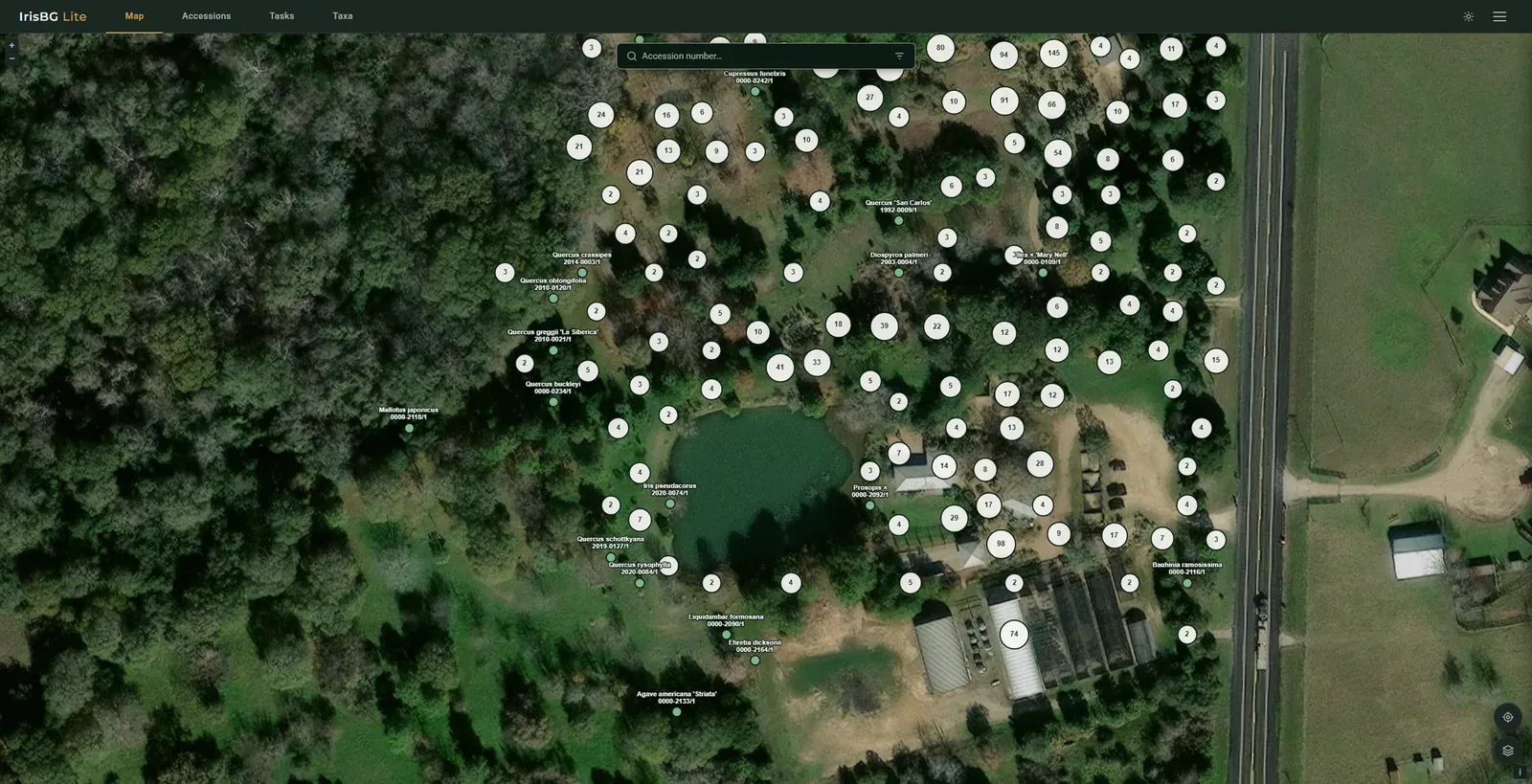
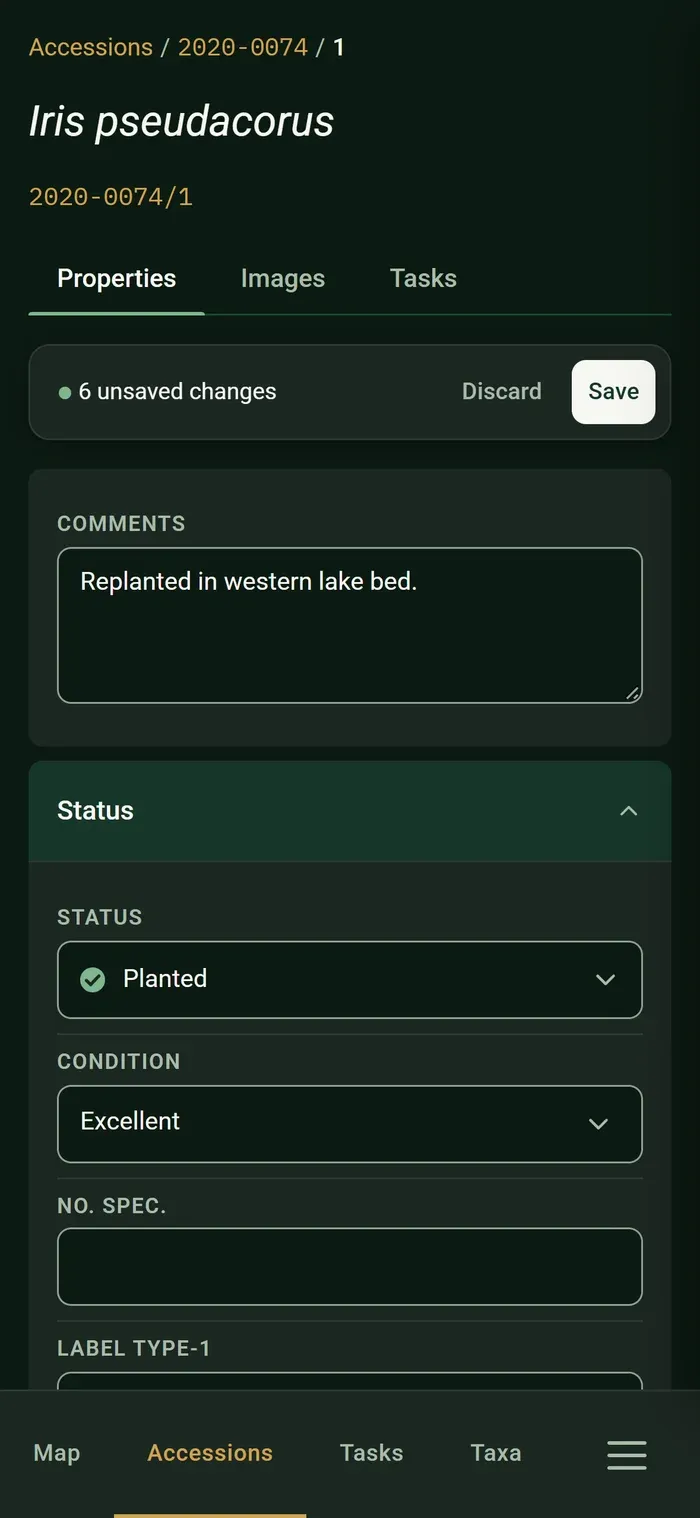
IrisBG Lite gives your team access to essential collection records from a phone, tablet or computer. Find plants, update and add records, add photographs, and improve map positions while you are out in your collection.
Coming soon
IrisBG Lite is currently in development. The features described on this page are planned for the first release.
Would you like to be among the first to try it? Register your interest and tell us how your team works in the garden. We will contact interested gardens when IrisBG Lite is ready for testing.
What it is
A companion, not a second system
IrisBG Lite extends IrisBG beyond the desktop, giving your team the tools they need while working with plants in the garden. It works with your existing IrisBG records, user accounts, and permissions, without creating a second system to maintain.
-
Use it on any device
IrisBG Lite runs in the browser on a phone, tablet or computer. Add it to the home screen for app-like access, with nothing to download from an app store, and no software to update on individual devices.
-
Work with your own collection records
Avoid double work and access the records your garden already manages in IrisBG. If IrisBG hosts your database, IrisBG Lite connects to it directly. If you host your own database, your data is transferred through a synchronization process.
-
Keep your existing access controls
Staff sign in with their existing IrisBG accounts. The roles and collection-level permissions you have already established determine what each person can view or change.
-
Designed for use in the garden
Touch-friendly screens, light and dark themes, and a streamlined interface make it easy to find and update information while working outdoors.
The part that is genuinely new
Everything you need in the garden, nothing you don't
IrisBG has enabled detailed tracking of your living collection for decades, but either with the desktop IrisBG on a tablet, or a third-party app that doesn’t really translate the IrisBG fields you know so well, working from scribbled notes, spreadsheets or somebody’s memory of which of the three Acer it was.
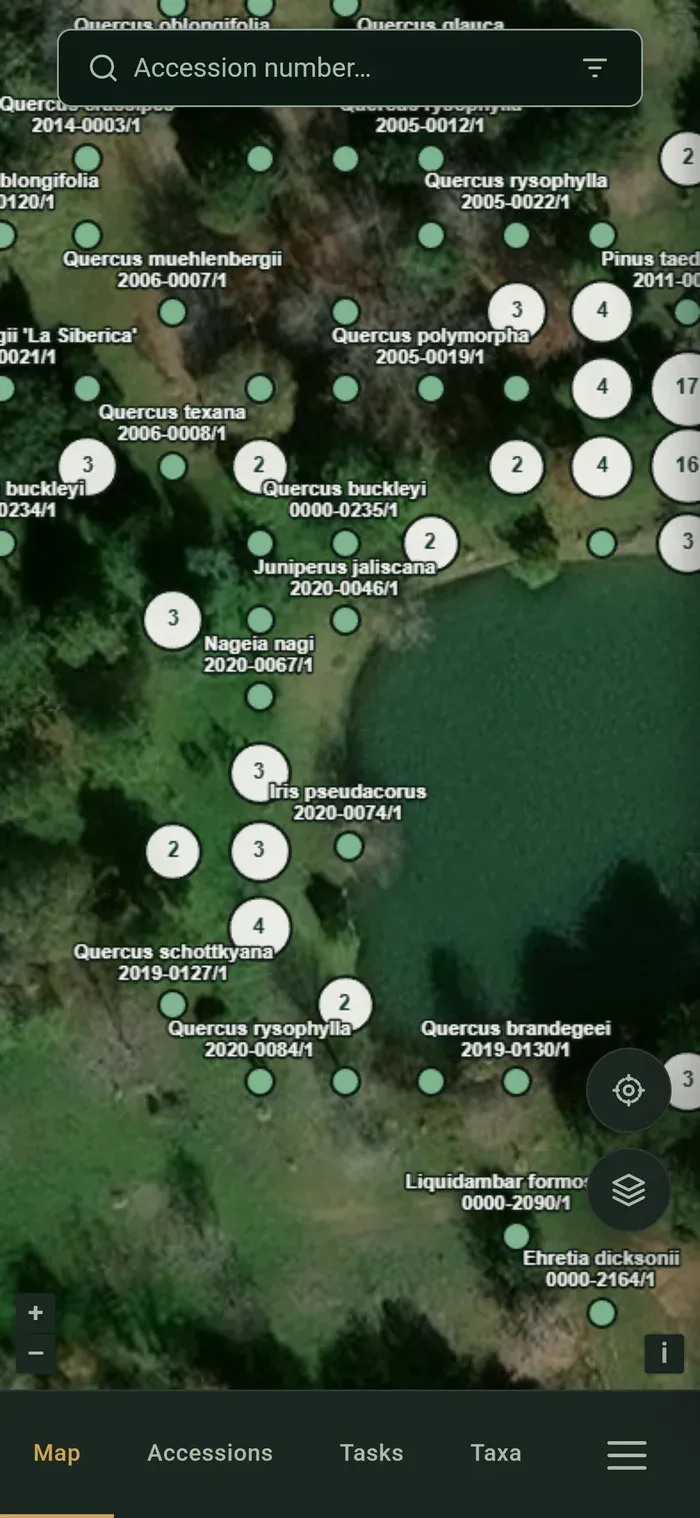
IrisBG Lite simplifies everything. Get a slimmed down version of IrisBG with the fields you actually need when performing audits or receiving new material. Correct and add coordinates to the map, either manually or let the device average several GPS readings rather than trusting a single one. View and add new plantings, plants that have moved, plants nobody ever got round to mapping and the ones whose coordinates have been quietly wrong for years: all of it can be dealt with by the person who can see the plant, instead of going on a list for later.
Planned for the first release
What you will be able to do
A deliberate subset of IrisBG: the things you need in your hand while you are out among the plants, and nothing you would rather do sitting down.
In the garden
- Set or correct where a plant stands, at the plant — by hand on the map, or averaged from the device GPS
- See your plants on a map, and switch between the map and the results list
- Filter records in the map and accession list
- Open an accession and edit its details
- Browse the items under an accession, with status, place and measurements
- Create a new accession, with the next accession number in line
- Search taxa, including synonyms
- Work through tasks and mark them done
- Take photos and attach them to records
Out of signal
- Download the part of the garden you are working in before you set out
- Keep searching, reading and recording where there is no signal
- Map tiles are cached, so the map still draws out of range
- A clear indication of when you are offline, and how old the data on screen is
Reports, labels, data import, the seed exchange and administration stay on the desktop. IrisBG remains the full system — see everything it does.
How your data reaches it
Two ways in, depending on who hosts
IrisBG Lite reads your garden's own collection data. Which of the two arrangements below applies to you is decided by something you have already settled: where your IrisBG database lives.
-
If we host your database
Nothing to arrange. Gardens on our cloud database service are already running on a database we manage, and IrisBG Lite goes straight to it. What your staff record in the garden lands on the same record a colleague opens on the desktop, with no step in between and nothing for anyone to remember to run.
-
If you host it yourself
IrisBG Lite cannot access a database hosted on a server within your internal network, and, for security reasons, we would never ask you to expose it. Instead, you keep irisBG and IrisBG Lite in sync by transferring data from the desktop application to IrisBG Lite and back again. Your garden initiates and controls each synchronization from its side of the firewall.
This is a different thing from the offline queue above, which is about one device catching up after a walk out of signal. We will publish how the synchronization is run, and how often it needs running, before release. If your database is already hosted with us, none of it applies to you.
What it costs
Included in the Standard Package
IrisBG Lite is included at no extra cost in the Standard Package. As long as your annual fee is paid, your garden can use it — there is nothing further to buy.
Available today
Need field data collection now?
IrisBG Lite is still being built, but if your garden needs to collect data in the field right now, IrisBG-ArcGIS Mobile may be an option for you.
IrisBG-ArcGIS Mobile
A separate integration built on Esri's ArcGIS Field Maps app. Add and edit collection data, update coordinates, add images and complete tasks from a mobile device in the field.
Questions
What we can tell you today
Does IrisBG Lite replace IrisBG on the desktop?
No. IrisBG Lite covers the work that happens away from a desk; everything else — reports, labels, imports, the seed exchange, administration and the full editing surface — stays in IrisBG. A garden that never leaves the office would not need IrisBG Lite at all.
What will we need to run it?
On your side, a recent browser on whatever phones, tablets or computers your staff already carry, and an IrisBG user account each. There is no app to install and no web server for you to set up — we run IrisBG Lite as a service.
Beyond that it comes down to where your IrisBG database lives. If we host it, IrisBG Lite reaches it directly and there is nothing more for you to do. If you host it yourself, you will synchronize your data from IrisBG on the desktop — see how your data reaches it above.
Who in our garden will be able to see and change what?
Whatever you have already decided. IrisBG Lite reads the same user roles as the desktop and applies them per collection, so a volunteer who may record observations but not edit accessions has exactly that in the field too. You will not have a second set of permissions to maintain.
Is it a native app for iOS and Android?
It is a progressive web app: a website that a phone or tablet can install to the home screen, where it opens full screen and keeps working without a connection. That is what lets one version serve every device your staff bring, and it is why there is no app store to go through when we improve something.
Can we try it?
Not while it is being built — there is nothing to hand out yet, which is also why this page does not offer a demo. What you can do now is put your garden down for the beta: send us an enquiry saying you would like to help test IrisBG Lite, and we will come to you when there is a build worth your time.
Beta testers get it in their hands first, and they are the ones who get to argue with how it works while that is still cheap to change — so tell us how your garden does things out among the plants when you write. In the meantime the free 60-day trial of IrisBG is the full desktop system.