 IrisBG
Resources · FAQ
Frequently asked questions
Quick answers on purchasing, installation, data migration, reports and mapping.
Purchasing
Purchasing questions
How do I order IrisBG?
On the page Prices & purchase you can request a quote. The price list makes it easy to estimate your total cost. If you require Data Migration, we will need to review your database before we send you the quote.
If you are uncertain about what you need, please get in touch with us. We will then help you figure out what will be the best configuration for your garden. It is also possible to add or remove optional modules or change the number of concurrent users after the initial purchase.
When you accept our quote, please send us a confirmation. We will then start our delivery process in cooperation with you.
If you would like to try IrisBG before ordering, request our free 60 days Trial Version.
Do I need to pay for other product licenses?
No, there’s is no need to pay for 3rd party licenses for IrisBG to work, but you may want to supplement with other products depending on your needs.
Most of the reports and labels create output in the Microsoft Office formats XLSX or DOCX. The free Open Office can also use these file formats.
The free database SQL Server Express can be used for collections < 10GB and with a limited number of concurrent users. For larger databases with a lot of images one of the paid SQL Server editions or our Cloud Database service must be used.
How do I request a quote?
On the page Prices & purchase you can request a quote. The price list makes it easy to estimate your total cost.
If you require our service Data Migration, we will need to review your database before we can estimate the cost and send you a quote.
If you would like to try IrisBG before ordering, request our free 60 days Trial Version.
Is it possible to purchase IrisBG without the annual fee?
Yes. If you have a very restricted budget, we can offer you a special solution. Note that this will not give you access to important software updates and support from us.
Please get in touch for details.
Why do you charge an annual fee?
The annual fee cover support and maintenance, which means that you can stay up-to-date and get support if any technical problems arise for a predictable cost.
We invest a lot of time and money in research and development in order to provide you with a product compatible with the latest developments within both botany and technology.
The annual fee covers
- Software updates – We recommend that you make sure to work in the latest version.
- Support – In addition to close email support you also get 3 video walk-through per year.
- Coffee Chats – Virtual meetings with your peers to discuss IrisBG and plant records
- Feature requests – We accept feature requests and often implement them in upcoming versions.
In addition you have access to our Knowledge Library.
🌱 Read our Support and Maintenance agreement (opens in a new tab).
Installation
Installation questions
Can I install IrisBG on 64-bit Windows?
Yes. IrisBG is compatible with both 32 and 64-bit Windows. You can read more about compatibility on our Requirements-page.
This includes all versions from Windows 7 and later.
The same installation is used for all Windows versions.
Can I install IrisBG on Citrix?
Yes. You can use IrisBG on Citrix.
Can I use IrisBG on a Mac / macOS?
Yes, with a virtualization software it is possible to use IrisBG on a Mac / iOS.
Popular virtualization software:
- There is a free version of virtualization software available from Oracle: https://www.oracle.com/virtualization/technologies/vm/downloads/virtualbox-downloads.html (opens in a new tab)
- GoToMyPC: https://get.gotomypc.com/ (opens in a new tab)
A good resource on this topic: 5 ways to run Windows Software on a Mac: https://www.howtogeek.com/187359/5-ways-to-run-windows-software-on-a-mac/ (opens in a new tab)
How do I add new IP addresses to access our database?
To get IP addresses, use https://whatismyipaddress.com/ (opens in a new tab) and send us the IPv4 version.
It is no problem to work from a home computer. Just send us the IP-address for your home computer.
There is no limit for the number of IP-addresses we can open up for.
Is it difficult to install and maintain IrisBG?
No. Installing IrisBG is as straightforward as installing any software. We recommend our Cloud database hosting (opens in a new tab) which will not only will ensure regular backups, but it will also just require that you download the installation file and install the software.
💡Tip! Follow the topic Latest version of IrisBG (opens in a new tab) to stay updated on new releases.
Self-hosting of a Cloud solution or a local installation is also possible, but then basic knowledge of database management is beneficial, but all steps are explained in our installation guide that you can find on our Documents-page. Should you require further assistance, please get in touch and we will assist you.
Data migration
Data migration questions
Do you provide taxonomic data with IrisBG?
Yes. We will supply the APG4 classification for genera and above. This applies to both our data migration service and when we provide an “empty” database.
If you request our data migration we will add the taxa in your collection. The “empty” database will contain no taxa as we do not want to fill your database with irrelevant taxa.
When adding new taxa, there are productivity tools such as Web search and “Name link” which make adding new taxa easy and efficient.
How do I get my existing data into IrisBG?
There is three ways to get your existing data into IrisBG.
- You can request our Data Migration service and we will migrate and clean your data.
- You can import the data yourself via our Data Import module.
- You can add the data manually into IrisBG. This is not recommended if you already have a database with alot of data, mostly because it is time consuming.
The cost for our data migration service will vary depending on the database platform, complexity and quality of your data. Get in touch and we will send you an estimate.
Is it possible to import a list of contacts?
Yes, it is possible to import contacts via Data Import.
Mapping
Mapping questions
Can I add a Custom Map in IrisBG?
IrisBG comes with many map providers to choose from for a basemap, but you are also able to add your own custom map with our help. You can add an illustrative, high resolution winter aerial map that matches your branding, or a map that delineates the beds, garden boundaries, and hardscape within your garden.
To learn how step-by-step, read the Knowledge Library Tutorial, Map Providers | Add a Custom Map. (opens in a new tab)
Contact us to begin the process of adding your own custom map today!
Do I need to record the GPS location of all my plants?
No. It is sufficient to have the map coordinates recorded for your garden location. IrisBG will show the location of your plants by using the plant coordinates or the garden location coordinates.
Does IrisBG offer map hosting?
Yes, we do offer map hosting! In fact, one hosted custom map is included in the cost of the Mapping module, meaning that we host one map for free.
Does your organization have access to a high-resolution basemap?
When considering a high-resolution basemap, winter aerial images that include less canopy cover are preferred. Because high-resolution basemaps have higher maximum zoom levels, they lend better accuracy when plotting points. These maps also offer better visibility for displaying on Garden Explorer (opens in a new tab). You can find further details on this topic in the article, Map Providers | Adding a Custom Map (opens in a new tab).
For those using ArcGIS Pro, we have outlined the steps for creating a hosted Tiled Imagery Layer.
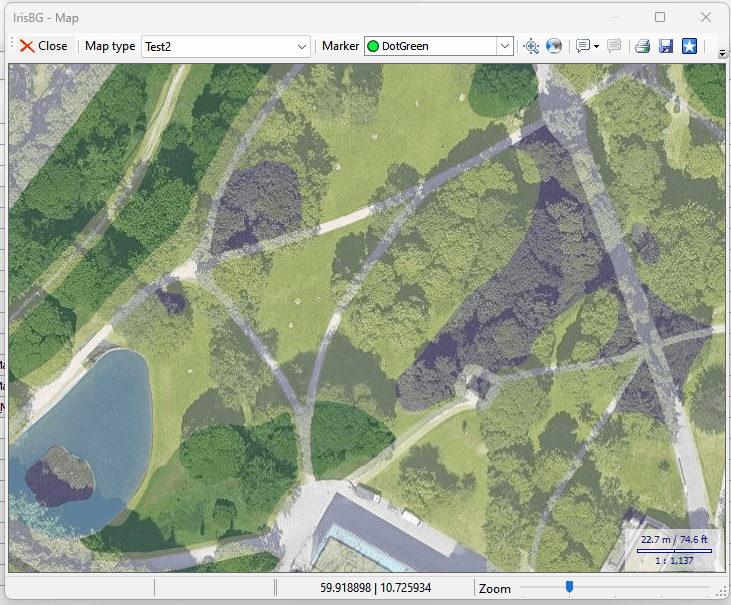
🌱 Contact us at support@irisbg.com for step-by-step instructions on how to send us your mapping data for hosting.
Can I display polygons in IrisBG?
The short answer is: yes. You are able to load reference basemaps that are not queryable. However, the 🌱best practice is to match the polygons with the Locations that your accessions reference. Log in to ⏩read the article. (opens in a new tab)
Don’t have an account that gives you access to the Knowledge Library? It is free to create one.
To use maps, do I need to have a digitized map?
No. The internet map resources from Google, Bing and OpenStreetMap are often sufficient, depending on your location and your requirements.
What's the status of the IrisBG ArcGIS Connector?
We understand the need to share some news on our ongoing work with an IrisBG GIS connector.
As many of you know, we worked intensely last year with an ArcGIS sync. We hired a company to help us develop the solution, but during internal testing, it was evident that the solution was missing critical functionality. We spent some time investigating if there was a way for us to use what already had been created, but in the end, this solution was a cul-de-sac.
The good news is that we have been hard at work with a new solution that not only will cater to ArcGIS, but also will work for open-source mapping software such as QGIS.
We are currently performing internal testing with FieldMaps (ESRI/ArcGIS) and MerginMaps (QGIS) and we believe this solution will work. Before sharing the solution with a selection of beta testers from the community we want to refine the user experience.
The planned start for beta testing is in October 2023.
Thank you for your continued interest in this project.
Reports
Reports questions
Can I design my own reports?
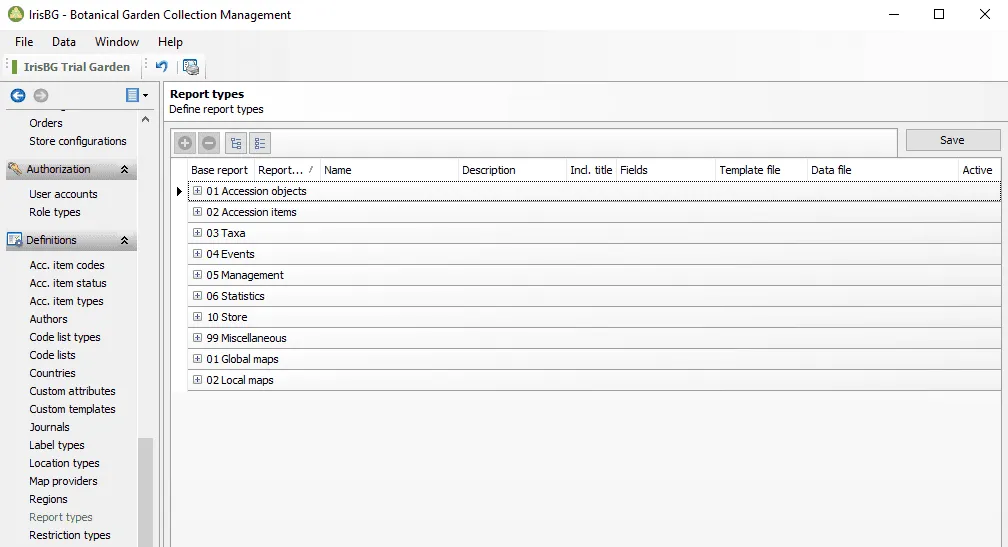
Yes. You can create your own reports in IrisBG. This is done in the Report types screen found in the Definitions group. Using the Fields drop-down, you can specify which fields to include and their order.
Is it possible to export taxa data for BGCI requirements?
Yes, there is a designated report for this. It is located in Reports > 99 Miscellaneous. Use the report “Bgci01 – Export BGCI”. For further reference, see our article, How do I export taxa data for BGCI’s PlantSearch? (opens in a new tab)
Other
Other questions
Can I add my own data fields to IrisBG?
Yes. With custom attributes you can add your own fields to your taxa and accession records. You can even add your own fields with Themes that can be shared with the public via Web Explorer (Garden Explorer).
Can I update IrisBG when I'm working outside?
Edit July 4th 2022
We recommend using ArcGIS and their apps (Field Maps, Collector, Survey 1-2-3) for work in the field on-and off-line.
IrisBG is currently beta testing the ArcGIS Connector that will enable easy 2-way-sync between IrisBG and ArcGIS.
- The IrisBG ArcGIS Connector will be offered at no additional cost.
- The usual IrisBG data quality, validation and integrity are ensured.
Are you using Floria? With version 4.4.1.21071 IrisBG is compatible with Floria ver. 5.1.0. Read more about this decision in the newsletter we sent out on July 7th (opens in a new tab).
Can I use IrisBG remotely, or on a tablet without installing it locally?
We often are asked the question, what tablet do I need to run IrisBG?
There are two answers to this question:
-
You can use a tablet that runs Windows and install IrisBG onto it, (not Android or iOS products.) An example tablet would be the Microsoft Surface Pro. See the specifications list here.
-
Another option is to use virtualization software to remote into your PC and use any tablet that you already own. This does require the use of WiFi or a cellular data plan.
The Experiment
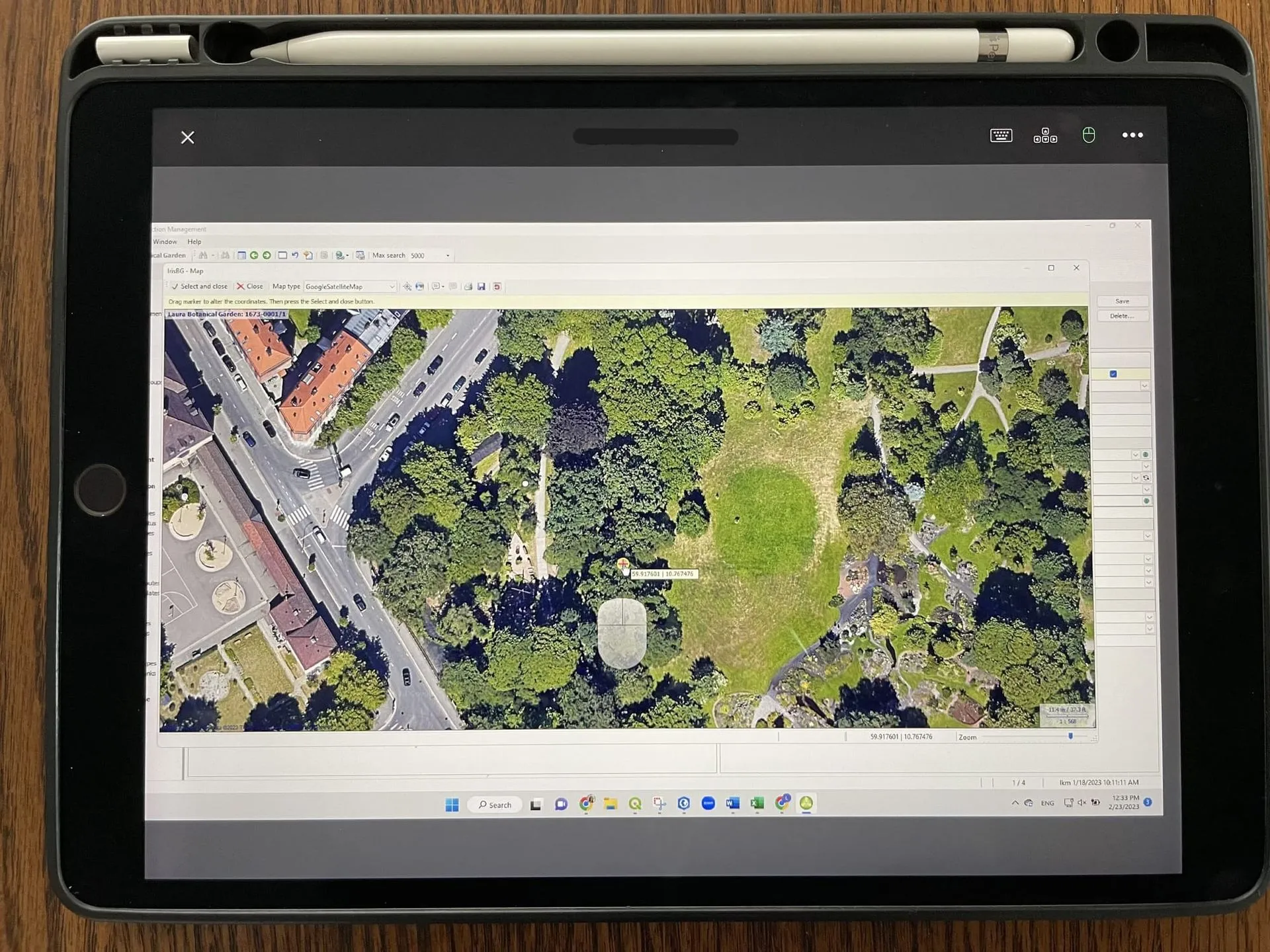
I, Laura, recently tried out the free 7-day trial of GoToMyPC (opens in a new tab) under WiFi and then used my phone as a hotspot in a 5G network. The running a hotspot via my iPhone was not optimal. I ran this experiment on three devices:
- a Samsung Galaxy Tablet with an 8-inch screen and stylus,
- an iPad 2 with a 9.7-inch screen and Apple Pencil, and
- my iPhone mini with no stylus.
You are able to see IrisBG just as it appears on the computer that is the host. I navigated through all the screens and tabs. A few of the tasks that I tried:
✅ Set the coordinates of an accession item on a map
✅ Add photos from the host computer
✅ Add a new taxon
✅ Upload a reference item from the host computer
Laura’s Conclusion
Virtualization software is a great option for remote work under stable WiFi. I would recommend using a good quality mobile hotspot if you need to truly be mobile. The larger screens of the tablets are beneficial. The stylus was handy but not absolutely necessary. The iPhone screen was not the right amount of screen real estate for ease of use but in a pinch, it would allow you to complete an essential task.
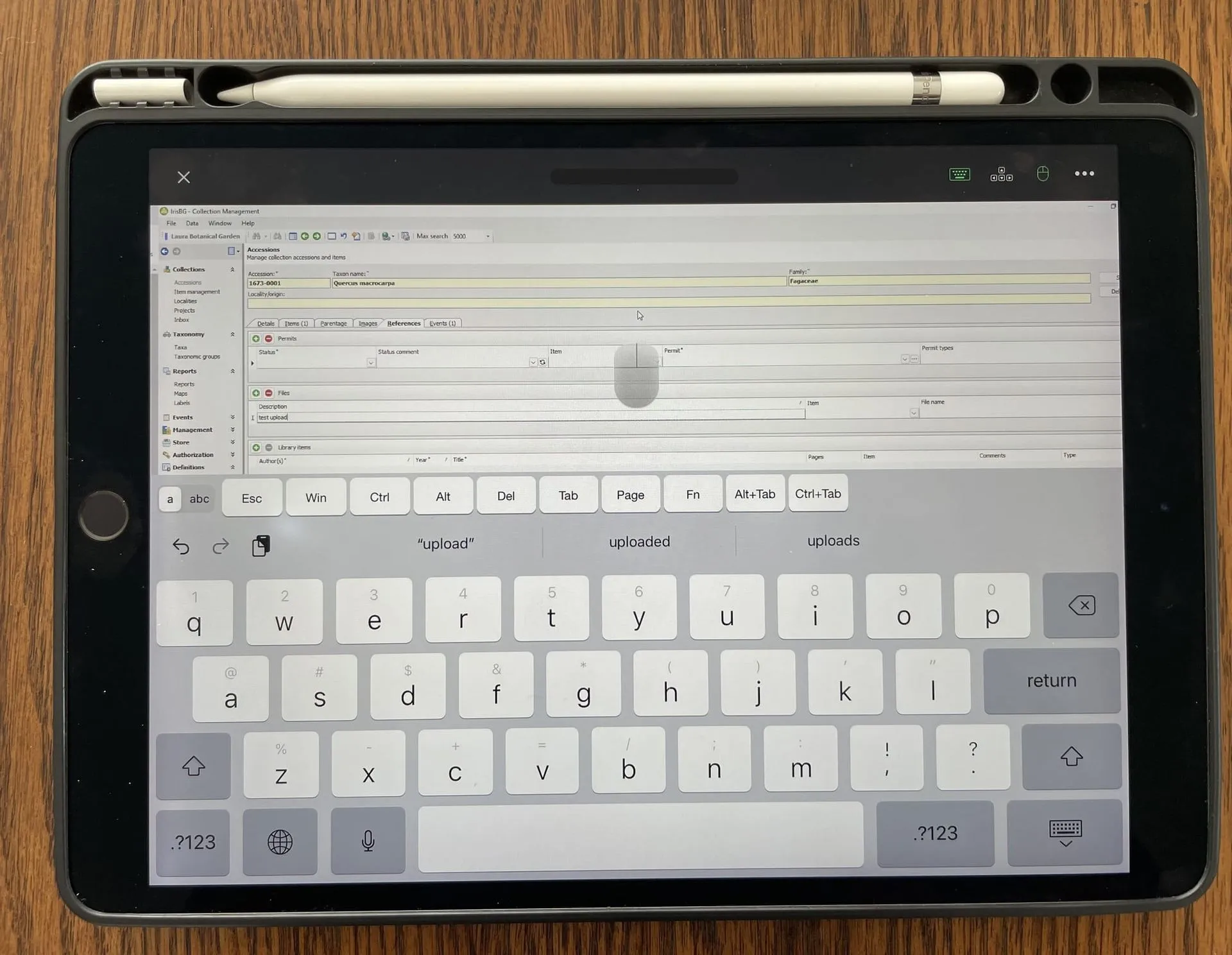
Adding a reference item on an iPad
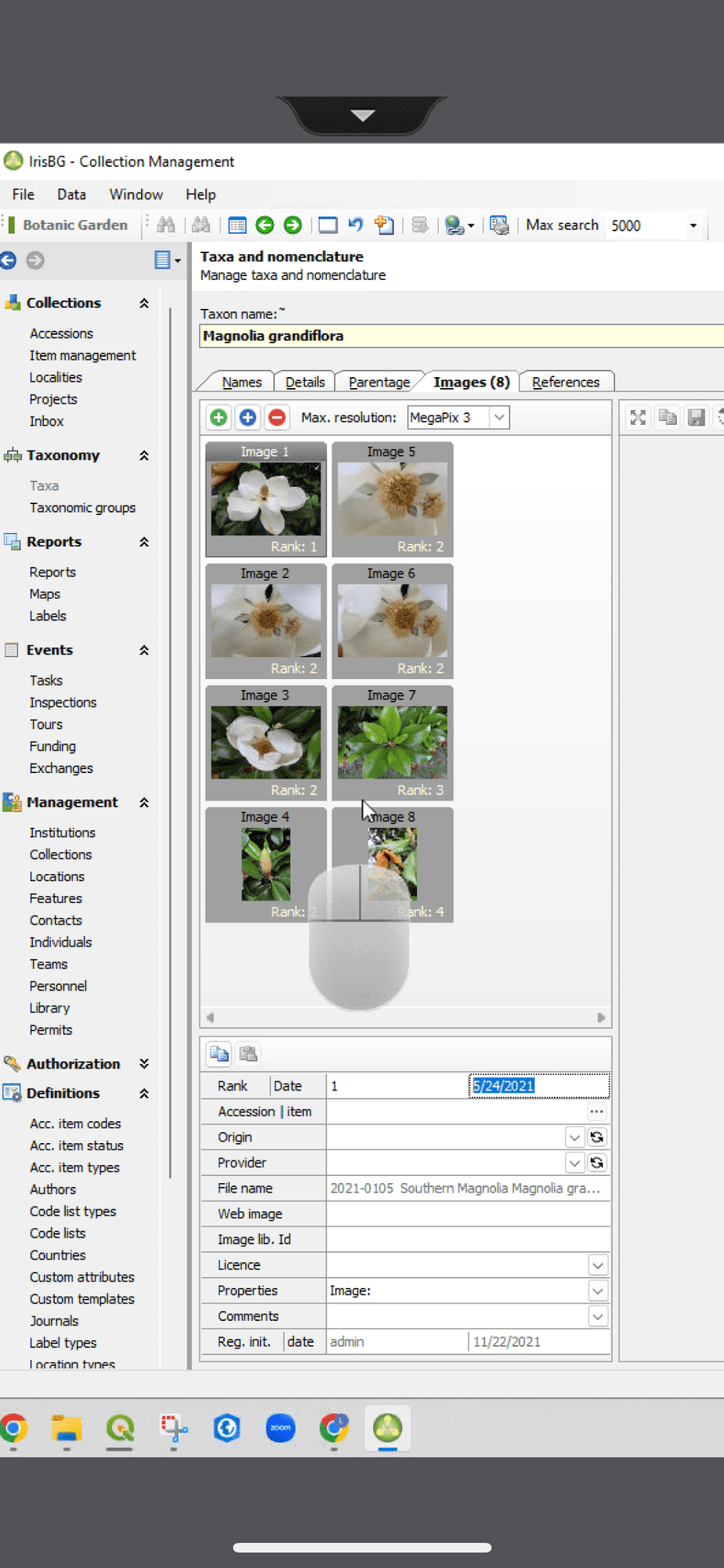
iPhone Screenshot
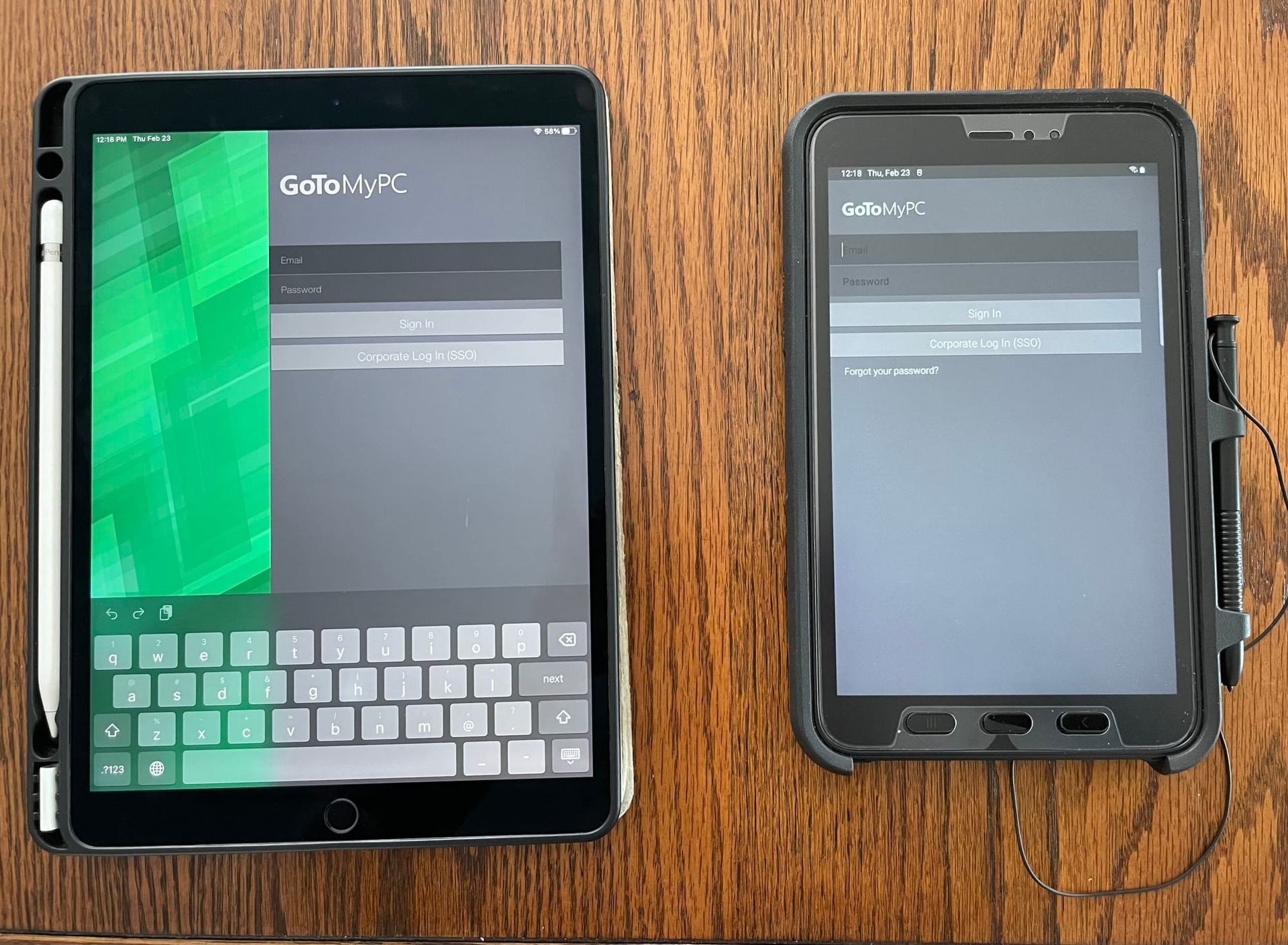
GoToMyPC app for iOS and Android
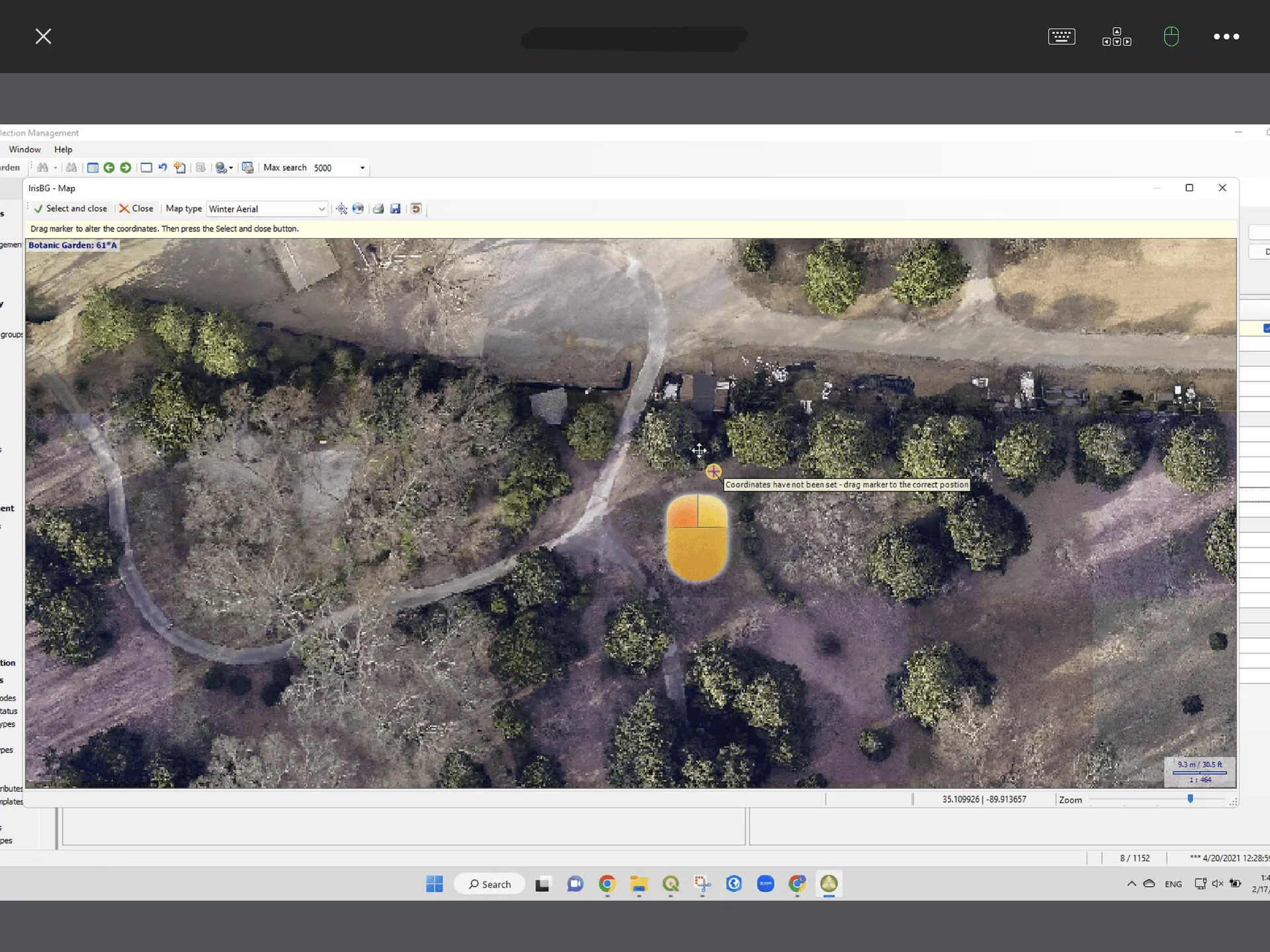
Screenshot of mouse activated by a stylus on the Samsung Tablet
Notes:
- You do need to install the GoToMyPC mobile app from your app store to run GoToMyPC on an iOS or Android device.
- It is best to have the computer monitor set up simplified prior to doing your remote work. I use two screens at my desk and the GoToMyPC will mirror your entire set up. You can zoom in to display just one screen.
- It is possible to transfer files between the remote computer and your local device. Read further via GoToMyPC: How to documentation for GoToMyPC. (opens in a new tab)
Can you print labels from IrisBG?
Yes, you can create labels in two ways:
- Merge your data with a Word template to produce a ready to print Word file (docx). This option supports QR codes and bar codes.
- Export your data to file for import to your label program. Commonly used file formats are Excel (xlsx), comma separated (csv) and tab separated (txt or tsv).
Can't I just use any Generic Collection management system?
Not really. While there are similarities, there are some key differences. IrisBG is developed in order to cater to workflows that are specific to botanical collections and are unlikely to be found in a generic CMS.
Botany-specific workflows that are supported in IrisBG
- Botanical nomenclature and taxonomy
- Accessioning
- Management of plant collections
- Mapping
- Features such as Tasks, Inspections, Tours and Stores
- Identification / determination of plant material
- Provenance and other specific fields for plant material
- Plant management history
…and more.
Does IrisBG support my accession numbering policy?
Most likely. IrisBG supports a wide range of numbering regimes and formats, and the accession number can be assigned automatically by the system or manually by the user.
If you have the IrisBG trial you can have a more detailed look in our integrated Reference Guide (F1). Expand “Modules” and select the “Management” topic. The acc.no. info is under “Collections”.
How do I know what version I am using?
When you start up the program, the version number is displayed.
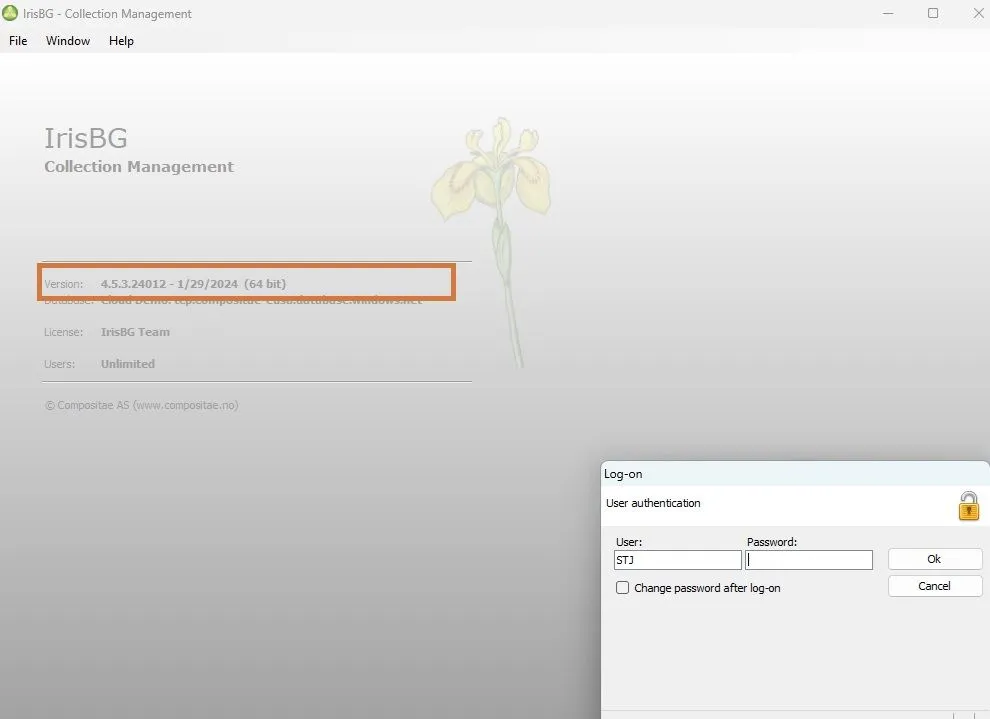
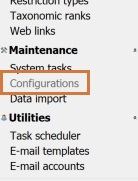
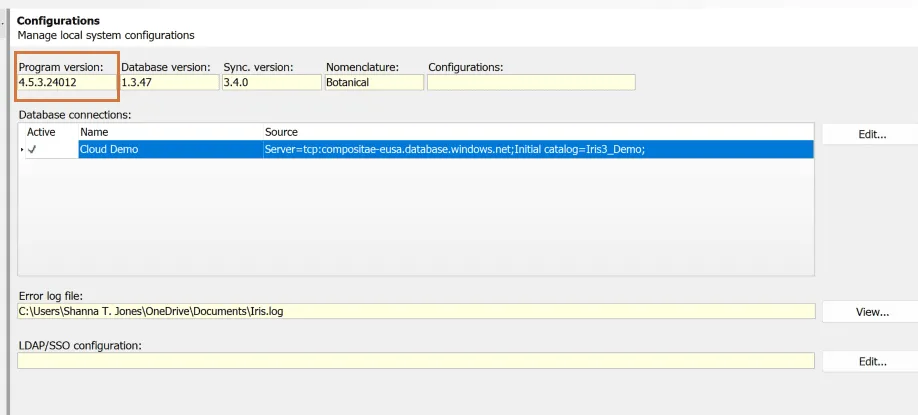
Once in the Configurations screen, you will see the program version displayed in the yellow field box, indicated below.
Be sure that you are always using the latest version of IrisBG to get the most out of your software! To get a notification when we issue a new release, follow the Latest version of IrisBG topic (opens in a new tab) in our Knowledge Library.
Is my label maker compatible with IrisBG?
IrisBG can create label data in two formats, so compatibility shouldn’t be an issue:
- Excel spreadsheets for import to the label maker.
- Formatted labels ready for printing using Word templates.
Is there a limit on how many images I can store?
No. You can store as many images as you wish. The only limitation is the available disk capacity on your database server.
Is there a maximum size on the images I can store?
Yes. The maximum image resolution is 50 megapixels. Please note that the default setting is 3 megapixels, but this can be adjusted per user or per image.
What makes IrisBG different from other products?
IrisBG is created by people with a background in both professional Botany and Software Engineering. We also constantly strive to improve our product through feedback from our community.
Our solution offers you a worry-free, modern, efficient long-term solution for plant collection management at a predictable cost of ownership, with no additional cost for other licences .
Since we believe in transparency we have made all prices available online.
Want to know what our community think? Make sure to check out the testimonials from some of them.