 IrisBG
Coffee Chats
Inspect & Monitor Historic Collections
Autumn Ayers , Descanso Gardens
Using Custom Attributes and Inspections to Identify and Monitor Historic Collections
During our October Coffee Chat, Autumn Ayers spoke about how she inspects and monitor’s Descanso’s Historic Camellia Collection. She covers how to create custom attributes, search for key words, and create map reports using these attributes.
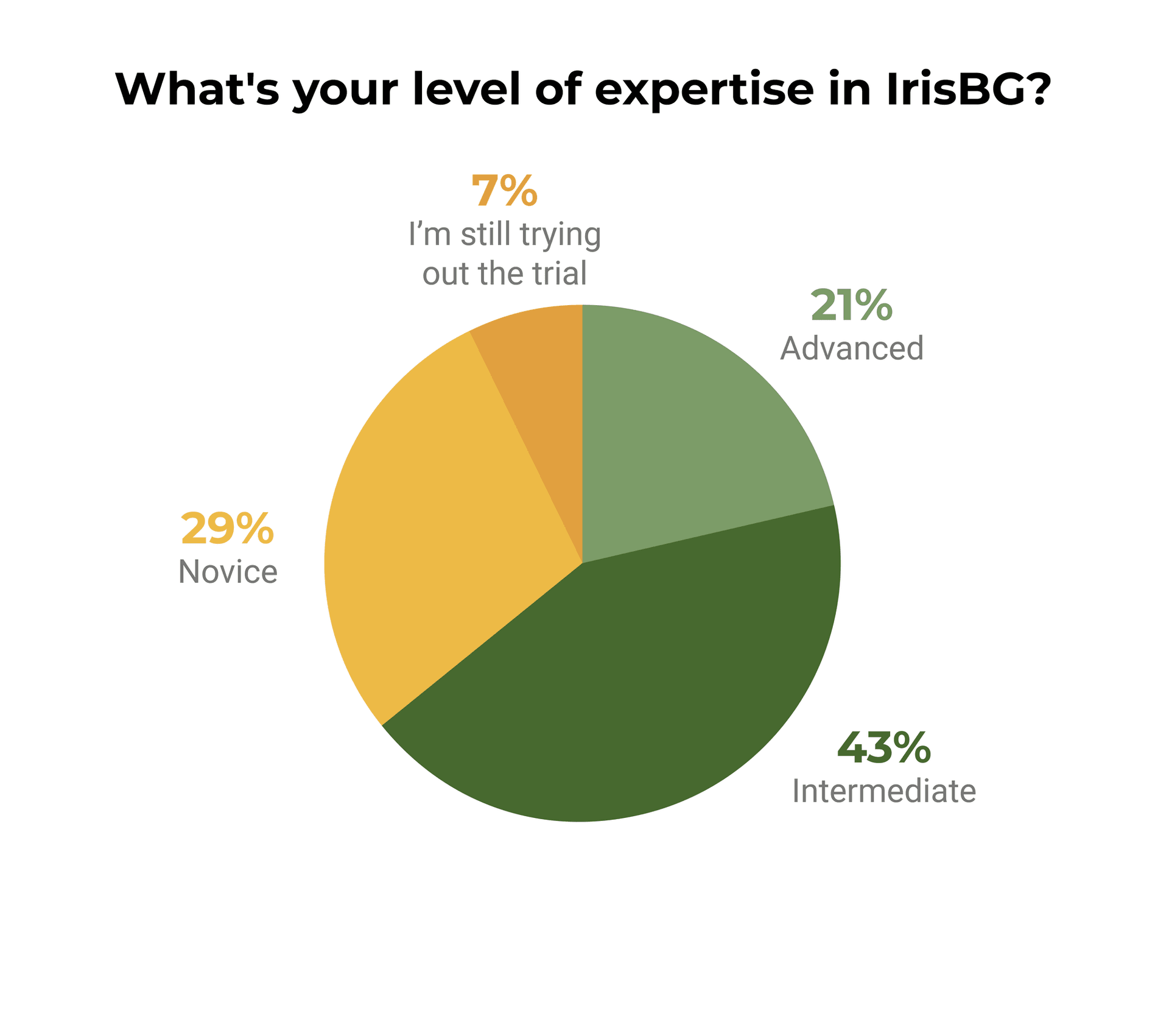
Thanks to all of you who joined us! The Coffee Chat attendees were mostly intermediate users, at 43%, with an additional 21% of users at the advanced level.
Autumn Ayers has been the Garden Records Specialist at Descanso Gardens in the Greater Los Angeles Area since January 2021 and has worked in plant records since 2018. She has been working to unravel the mysteries of the 6,000+ plants in the Descanso Camellia Collection since her first week of work. She describes her job to others as equal parts museum registrar, reference librarian, and plant detective. Having worked in BG-Base prior to starting work at Descanso Gardens, Autumn considers herself an intermediate IrisBG user.
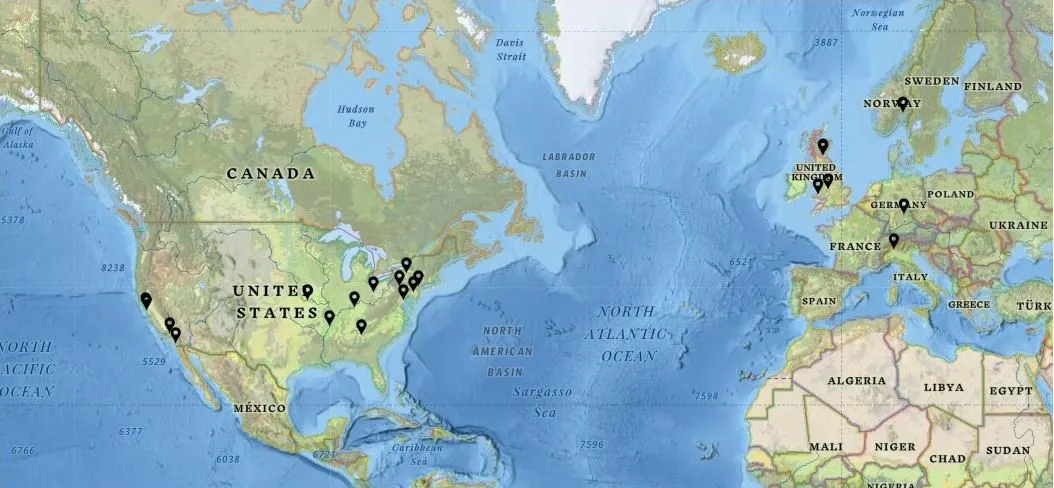
The map below shows the locations of all the gardens and arboreta represented by everyone that registered for the Coffee Chat - home offices not taken into consideration.
Q&A
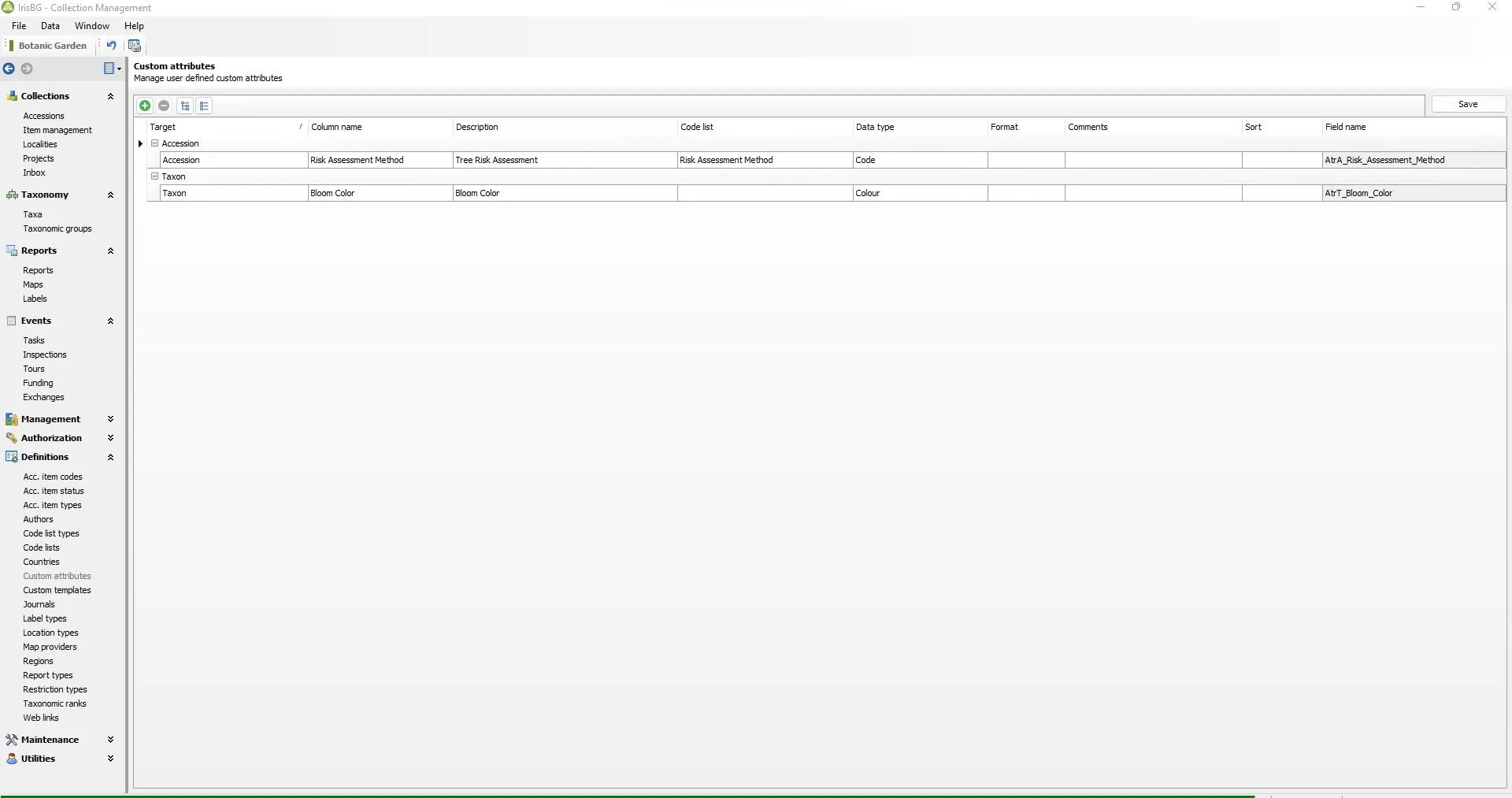
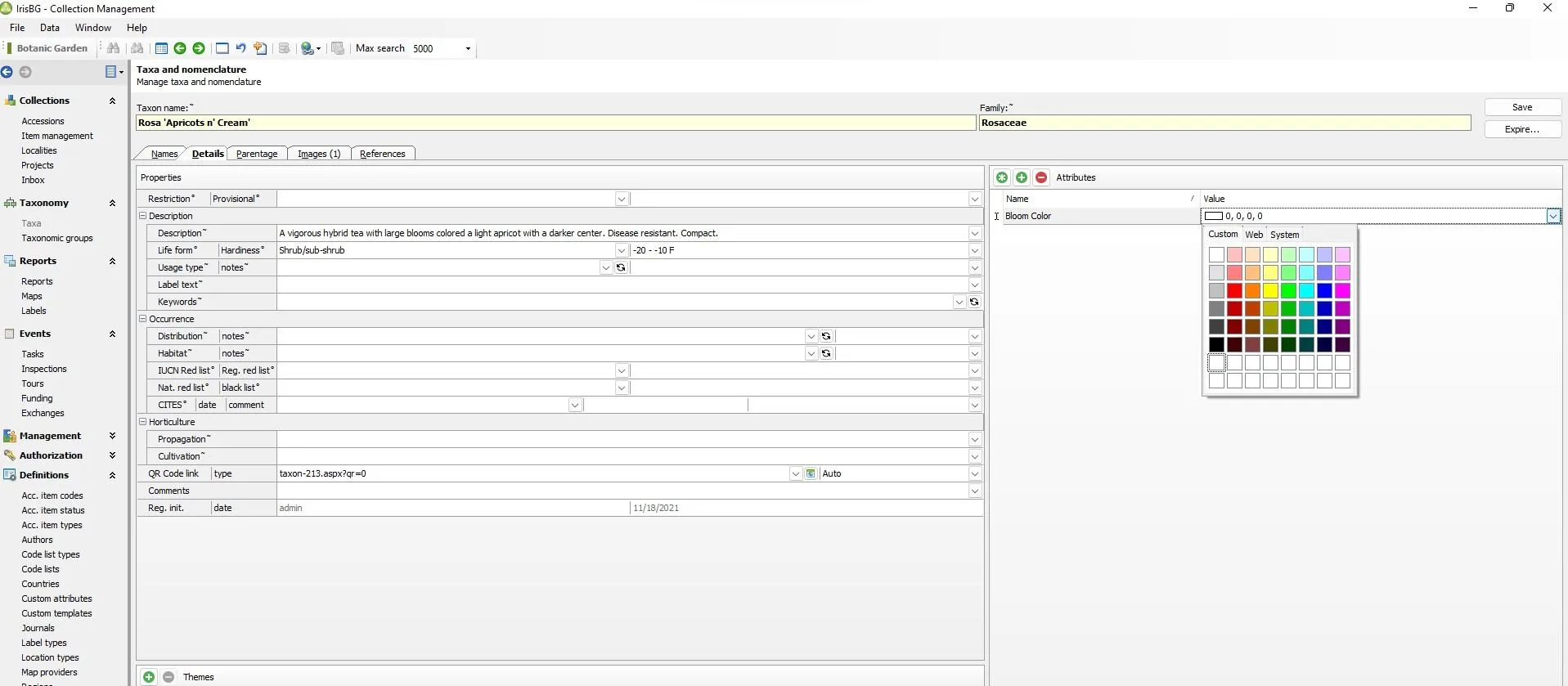
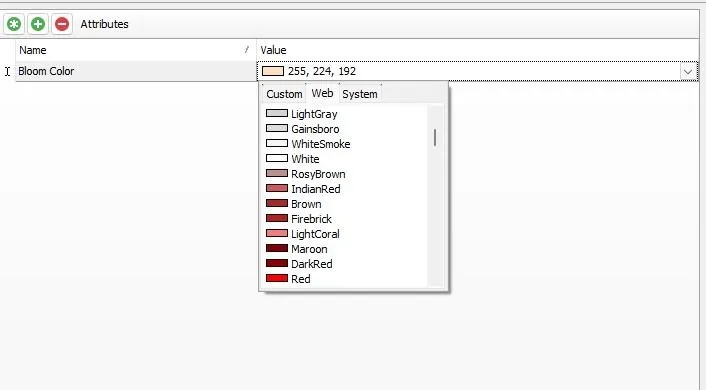
Q: How do you add color and color swatches for Bloom Color to the Custom Attributes?
A: First, add the Custom Attribute: Bloom Color to the Taxa target. Next, add a Bloom Color to each taxa and finally select a custom color, web color, or system color value.
To learn more about making custom attributes see our other Knowledge Library article: